Three Great Laptops.
One Clear Choice.
An honest, side-by-side comparison built for students and educators.
The Lineup.
Three configurations, one fair fight.
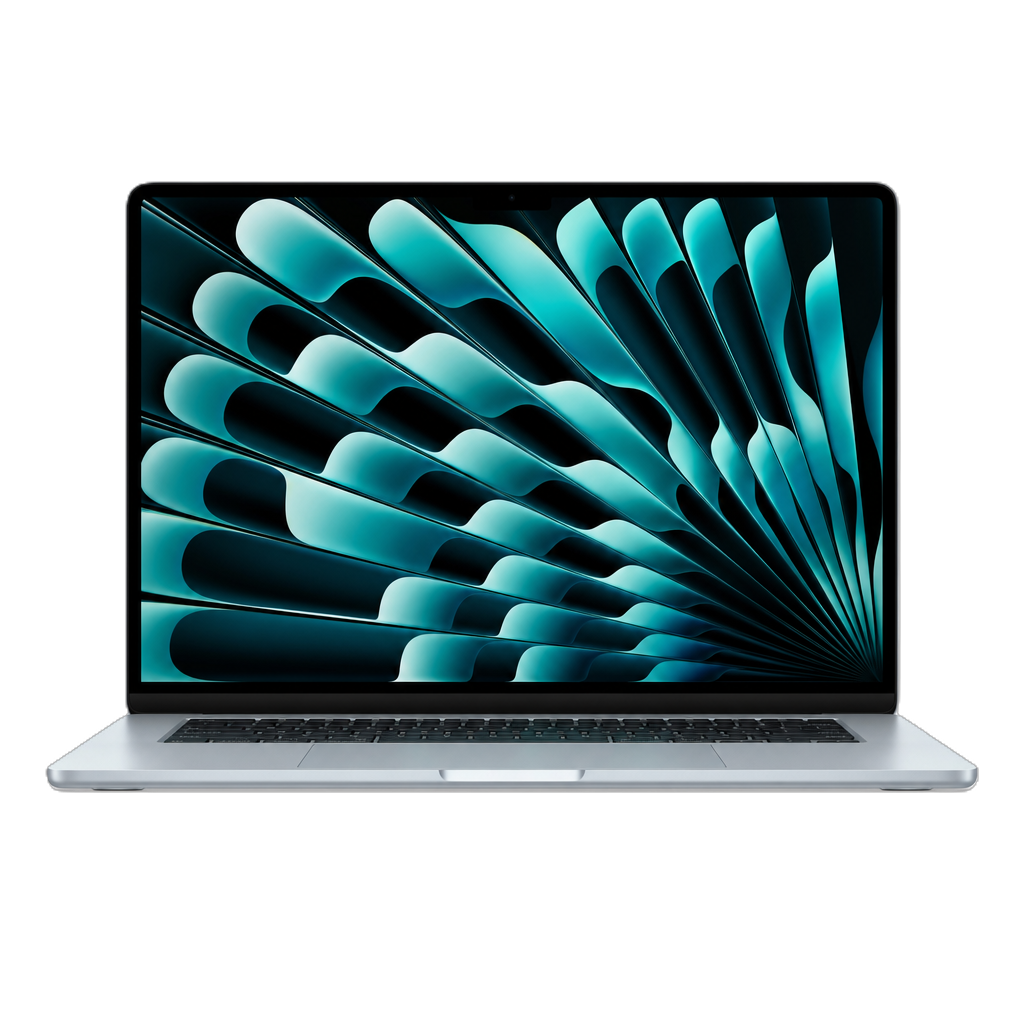
The Featherweight
$1,299
Apple's thinnest, lightest laptop — fanless, all-day battery, and the M4 chip. Perfect for students who value portability above all.
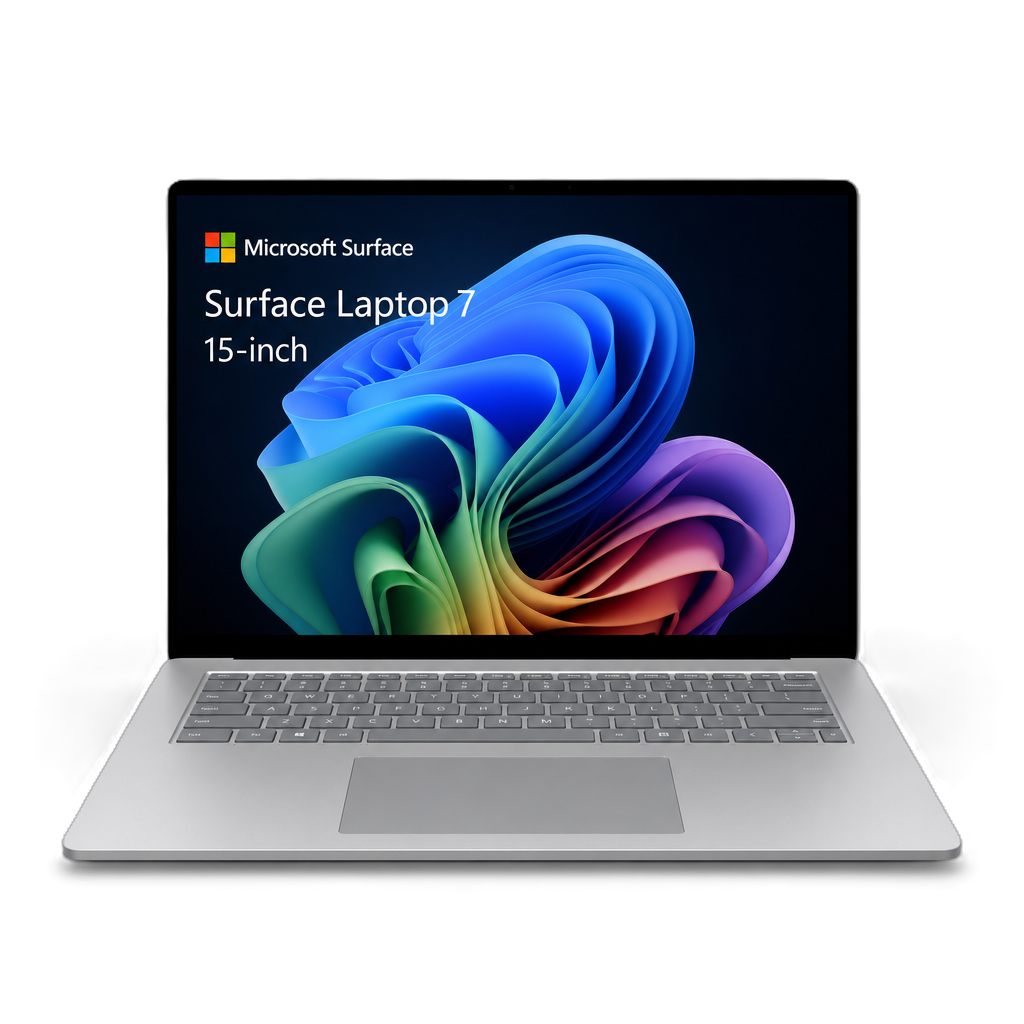
The Professional
$1,899
Business-grade power. Windows native. Touch-first design. Intel Core Ultra 7 266V, Wi-Fi 7, Windows 11 Pro, and a stunning 120Hz PixelSense Flow touchscreen — the only one you can write on.
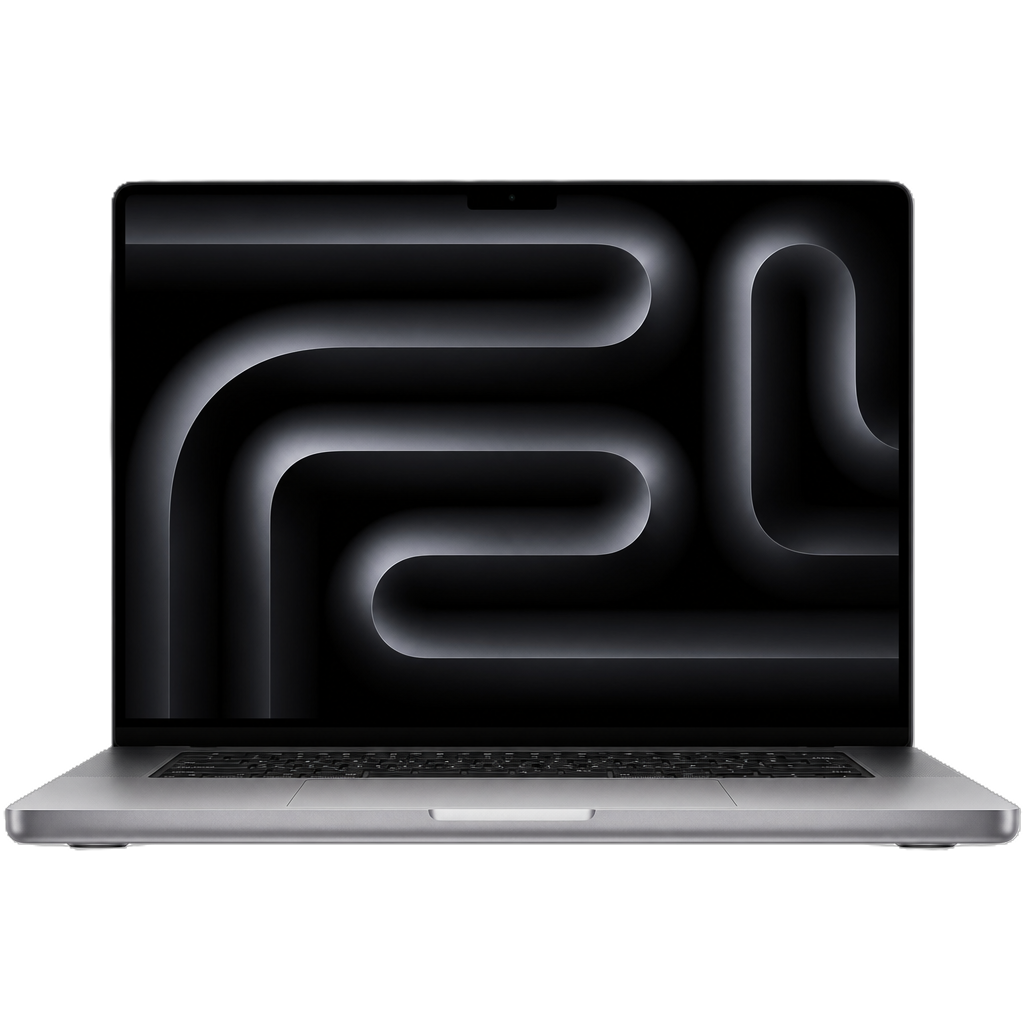
The Powerhouse
$1,599
Apple's pro-grade laptop with an XDR Mini-LED display, the most ports, and the longest video playback battery in its class.
Why These Three?
We normalized every laptop to the same foundation: 16 GB unified memory and 512 GB SSD. The MacBook Air and MacBook Pro run Apple's 10-core M4 chip on a 3 nm process, while the Surface Laptop for Business 13.8" uses Intel's 8-core Core Ultra 7 266V on the Lunar Lake architecture. This is the closest apples-to-apples comparison you can make across these platforms — MacBook Air at $1,299, Surface Laptop for Business at $1,899, and MacBook Pro at $1,599. The Surface is the most expensive option in this comparison, but it's also the business/enterprise-oriented choice with Windows 11 Pro included.
All three use similar-tier processors — Apple M4 (10-core) vs Intel Core Ultra 7 266V (8-core). Apple leads in raw CPU speed, while Intel leads in NPU AI performance with 48 TOPS and offers full x86 app compatibility with zero emulation. The Surface is the only device with a touchscreen. For educators and students, the choice often comes down to ecosystem, portability, enterprise security needs, and specific use cases — not just raw benchmarks. We break down every category so you can decide what matters most to you.
Performance.
Benchmarks don't lie. Here's how they stack up.
Display.
Every pixel matters.
For students who annotate notes and use stylus apps, the Surface Laptop for Business's 13.8" touchscreen with pen support is a game-changer — the only laptop here you can write on. For color-critical creative work, the MacBook Pro's XDR display is unmatched.
Battery.
All-day power, no compromises.
All three outlast a full school day — but the MacBook Pro leads in video playback at 24 hours, while the Surface Laptop for Business delivers 20 hours of video playback. The MacBook Air leads web browsing at 15 hours, followed by the Pro at 16. The Surface's 12-hour web battery is the shortest of the three but still covers a full school day.
Ports & Connectivity.
What you can plug in matters.
- MagSafe 3 Charging
- 2× Thunderbolt 4 / USB4 (40 Gb/s)
- 3.5 mm Headphone Jack
- Wi-Fi 6E
- Bluetooth 5.3
- 2× USB4 (40 Gb/s, TB4, DP 2.1 Alt Mode)
- 1× USB-A 3.1
- Surface Connect
- 3.5 mm Headphone Jack
- Wi-Fi 7Best
- Bluetooth 5.4
- MagSafe 3 Charging
- 3× Thunderbolt 4 / USB4Most
- HDMI 2.1
- SDXC Card Reader
- 3.5 mm Headphone Jack
- Wi-Fi 6E
- Bluetooth 5.3
Pro wins ports (HDMI + SD card reader are essentials for presentations and creative work). Surface wins wireless with Wi-Fi 7 and Bluetooth 5.4, and includes a USB-A port for legacy accessories.
Build & Design.
What it feels like in your backpack.
The MacBook Air's fanless design means zero noise in quiet classrooms and libraries. It's also the lightest of the three at 2.70 lbs — ideal for students who carry their laptop all day. The Surface Laptop for Business sits in the middle at 2.97 lbs, while the MacBook Pro is the heaviest at 3.42 lbs.
For Education.
How each laptop handles real school scenarios.
Note-Taking & Annotation
The Surface Laptop for Business is the only contender with a touchscreen and stylus support — pair it with a Surface Slim Pen for digital handwriting, annotation, and sketching directly on the 13.8" PixelSense Flow display. A massive advantage for handwritten notes, PDF markup, and drawing diagrams directly on screen.
Creative Classwork
Video editing, photo grading, and illustration shine on the MacBook Pro's XDR Mini-LED display with 100% DCI-P3 color, ProRes support, and 120Hz ProMotion. The Air is a strong runner-up.
Coding & Development
All three handle development well. The Macs offer a strong Unix-based dev ecosystem (Xcode, Homebrew, Docker). Running Windows 11 Pro with full x86 native compatibility — every Windows IDE, SDK, and dev tool runs without emulation. Enterprise features like Hyper-V and BitLocker come built in. The Surface is the only device here that runs the full Windows dev ecosystem out of the box, including Visual Studio, WSL2, and all legacy tools.
All-Day School Use
The MacBook Air is the lightest (2.70 lbs), runs silent, and delivers 15 hrs web browsing. The Surface delivers up to 20 hours of video playback and sits in the middle for weight at 2.97 lbs — a solid all-day companion. The Pro has the longest overall battery at 24 hrs video but is the heaviest at 3.42 lbs.
Team Collaboration
The Surface has Windows Hello face login, dual studio microphones with voice focus, and Windows Studio Effects webcam (auto-framing, portrait blur, eye contact). The MacBook Air features a 12MP Center Stage camera. Microsoft 365 runs natively on the Surface; macOS users need web or Office apps.
Enterprise Security
The Surface Laptop for Business ships with Windows 11 Pro, which includes BitLocker drive encryption, Secured-core PC protection, Microsoft Pluton security processor, and TPM 2.0. These enterprise-grade features are particularly relevant for school IT departments managing fleet deployments. The MacBooks rely on Apple's T2/Secure Enclave and FileVault encryption.
Casual Gaming
The Surface's Intel Arc 140V GPU handles more Windows gaming titles natively with full x86 compatibility — no translation layer needed. Macs are limited to Apple Arcade and select native ports, though the M4 GPU is technically more powerful in benchmarks.
Every Spec.
The complete breakdown, side by side.
| Spec | MacBook Air | Surface for Business | MacBook Pro |
|---|---|---|---|
| Processor | Apple M4 | Intel Core Ultra 7 266V | Apple M4 |
| Architecture | ARM (Apple Silicon) | x86 (Intel Lunar Lake) | ARM (Apple Silicon) |
| Process Node | 3 nm 🏆 | Intel 3 nm (TSMC N3B) | 3 nm 🏆 |
| CPU Cores | 10 (4P + 6E) 🏆 | 8 (4P + 4E) | 10 (4P + 6E) 🏆 |
| GPU | 8-core | Intel Arc 140V (8 Xe² cores) | 10-core 🏆 |
| Neural Engine / NPU | 16-core (38 TOPS) | Intel AI Boost (48 TOPS) 🏆 | 16-core (38 TOPS) |
| RAM | 16 GB LPDDR5X | 16 GB LPDDR5X | 16 GB LPDDR5X |
| Memory Bandwidth | 120 GB/s 🏆 | ~68 GB/s | 120 GB/s 🏆 |
| Storage | 512 GB SSD | 512 GB Gen4 SSD | 512 GB SSD |
| Display Size | 13.6" | 13.8" | 14.2" 🏆 |
| Resolution | 2560×1664 | 2304×1536 | 3024×1964 🏆 |
| PPI | 225 | 201 | 254 🏆 |
| Refresh Rate | 60 Hz | 120 Hz Dynamic | 120 Hz ProMotion 🏆 |
| Touch | ❌ | ✅ Yes 🏆 | ❌ |
| Brightness (SDR) | 500 nits | 600 nits | 1,000 nits 🏆 |
| Display Type | Liquid Retina IPS | PixelSense Flow | Liquid Retina XDR 🏆 |
| Battery (video) | 18 hrs | 20 hrs | 24 hrs 🏆 |
| Battery (web) | 15 hrs | 12 hrs | 16 hrs 🏆 |
| Battery Capacity | 53.8 Wh | 54 Wh | 72.4 Wh 🏆 |
| Weight | 2.70 lbs 🏆 | 2.97 lbs | 3.42 lbs |
| Thickness | 0.44" 🏆 | 0.69" | 0.61" |
| Cooling | Fanless (Silent) | Active Fan | Dual Fans |
| USB-C / TB Ports | 2× TB4 | 2× USB4 | 3× TB4 🏆 |
| HDMI | ❌ | ❌ | ✅ HDMI 2.1 🏆 |
| SD Card | ❌ | ❌ | ✅ SDXC 🏆 |
| USB-A | ❌ | ✅ 1× USB-A 3.1 🏆 | ❌ |
| Wi-Fi | 6E | Wi-Fi 7 🏆 | 6E |
| Bluetooth | 5.3 | 5.4 🏆 | 5.3 |
| Webcam | 12MP Center Stage | 1080p Studio Camera | 12MP Center Stage |
| OS | macOS Sequoia | Windows 11 Pro | macOS Sequoia |
| AI Features | Apple Intelligence | Intel AI Boost 48 TOPS 🏆 | Apple Intelligence |
| Security | Secure Enclave · FileVault | TPM 2.0 · Pluton · Secured-core · BitLocker | Secure Enclave · FileVault |
| Price (edu config) | $1,299 | $1,899 ⚠️ | $1,599 |
| Edu Discount | ✅ Apple Education | ✅ Microsoft Education (~$100 off retail) | ✅ Apple Education |
What Each Does Best.
- Lightest weight (2.70 lbs)
- Fanless — completely silent
- Best battery-to-weight ratio
- macOS ecosystem
- MagSafe charging
- Thinnest (0.44")
- Apple Intelligence AI
- Only touchscreen of the three — 10-point multi-touch
- Wi-Fi 7 + Bluetooth 5.4 — best wireless
- Highest NPU AI (48 TOPS — leads all three)
- Full x86 app compatibility — zero emulation layer
- Windows 11 Pro included — enterprise-grade security
- Intel Arc 140V — strong integrated GPU
- Stylus/pen support (Surface Slim Pen compatible)
- Windows Hello + Secured-core PC + Microsoft Pluton
- Microsoft 365 native ecosystem
- Dual Studio Mics + Windows Studio Effects webcam
- Best display (XDR Mini-LED)
- Most ports (7 total)
- Highest CPU benchmark scores
- ProMotion 120Hz + 1,000 nits
- SD card reader + HDMI out
- Longest video battery (24 hrs)
- ProRes encode/decode
The Verdict.
Buy the MacBook Air if…
…you want the lightest, quietest laptop that does everything well at a great value. It's the perfect everyday machine for students who prioritize portability, silent operation in libraries, and all-day battery. The M4 chip handles everything from essay writing to light video editing without breaking a sweat — literally.
Buy the Surface Laptop for Business if…
…your school environment standardizes on Windows, you need touchscreen annotation with stylus support, or IT management requires enterprise-grade security features like BitLocker, Secured-core PC, and Microsoft Pluton — all included with Windows 11 Pro. The Intel Core Ultra 7 runs every piece of Windows software natively with no compatibility worries. Its 48 TOPS NPU makes it future-proof for AI workloads, and the 120Hz PixelSense Flow touch display transforms it into a digital notebook. It's the most expensive option at $1,899, but it's also the most enterprise-ready.
Buy the MacBook Pro if…
…you run demanding creative or scientific software and need the best display and most ports. Film students, graphic designers, and engineering majors will appreciate the XDR Mini-LED screen, HDMI output for presentations, SD card reader for cameras, and 24-hour video battery. It costs more, but it does more.
This comparison is for educational purposes only and is not affiliated with Apple Inc., Microsoft Corporation, or Intel Corporation. Specifications sourced from Apple.com, Microsoft.com, Microsoft Learn (learn.microsoft.com), Geekbench Browser, and NanoReview. Prices reflect 16 GB / 512 GB configurations. The Surface Laptop for Business 13.8" (7th Edition), Intel Core Ultra 7 266V, 16GB/512GB is compared at its $1,899 education price. Surface education pricing of $1,899 reflects approximately $100 off the $1,999.99 retail price. Verify current education pricing at microsoft.com/education. MacBook Air is priced at $1,299 and MacBook Pro at $1,599 via Apple Education. Battery life varies by usage and configuration. Geekbench 6 scores represent averages from publicly submitted results and may vary. Specs verified June 2026.
MacBook Air, MacBook Pro, Liquid Retina, ProMotion, MagSafe, and Apple Intelligence are trademarks of Apple Inc. Surface Laptop, PixelSense, and Copilot+ PC are trademarks of Microsoft Corporation. Intel, Core Ultra, Arc, and Lunar Lake are trademarks of Intel Corporation.